
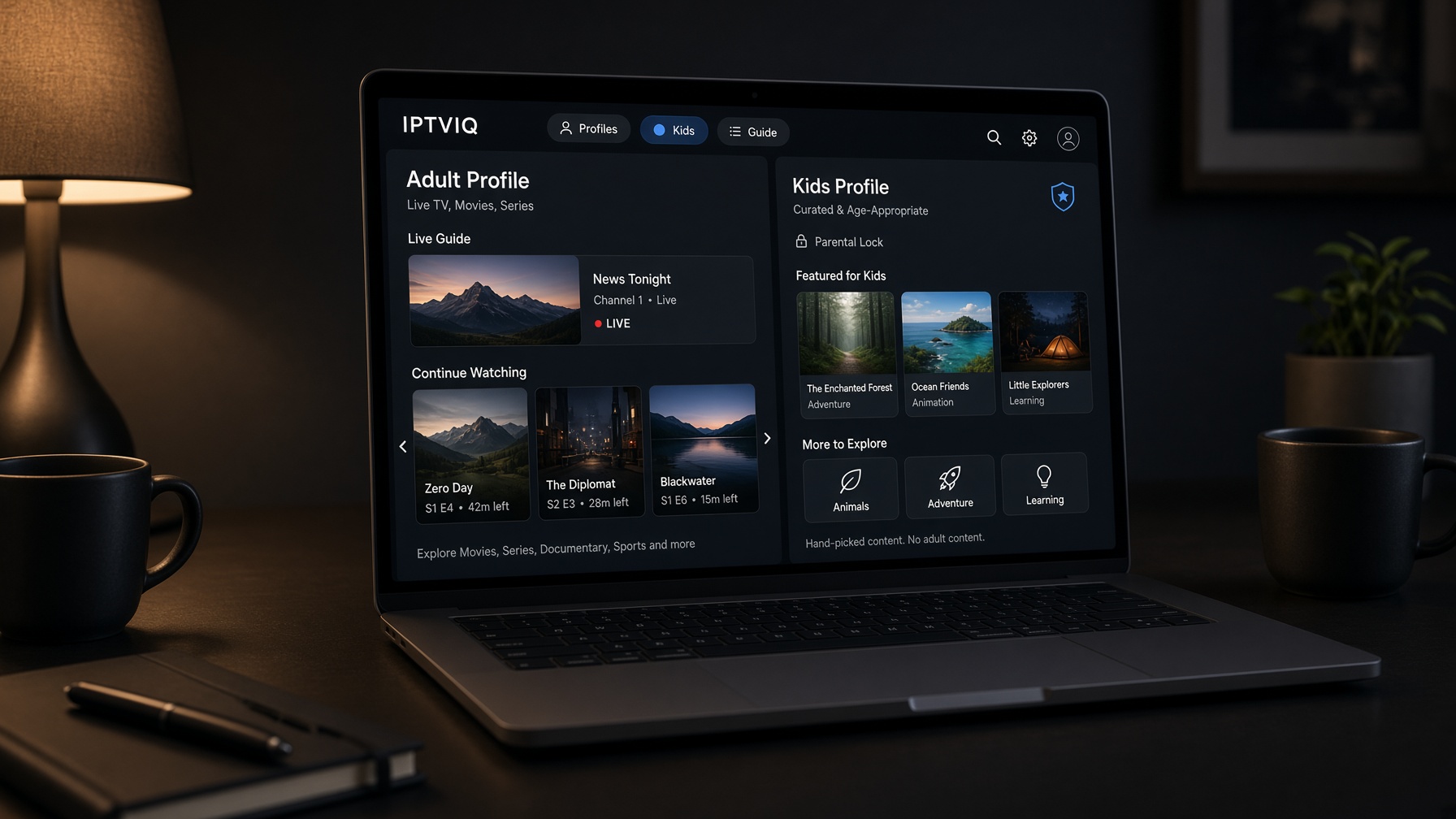
A shared computer creates a quiet IPTV problem. One source is fine. One history is not. The sports channels someone favorited at night become the first thing a child sees in the afternoon. A film left at minute 42 turns into someone else’s Continue Watching row. Search still reaches titles that were supposed to stay out of sight.
IPTVIQ is a native macOS player for the IPTV source the household already has. It does not sell channels or include a package. Connect Xtream Codes, M3U or M3U8, XMLTV, or a compatible Stalker, MAG, or Ministra source, and the app organizes what that source exposes. The family feature is not a sticker on the home screen. It is separate profiles, including Kids, with restrictions that follow the child through Home, Search, Guide, and playback.
The current app is Mac-only. Other devices are planned. For a household article, that matters in one direction only: the shared computer is the screen this product can actually control today.
The player does not become the parent’s television service
IPTVIQ remains a player. The household still supplies the source and the rights. Video should go from the provider to the Mac. The app should not restream the household’s channels through its own server.
That boundary keeps parental controls in the right layer. IPTVIQ can hide, approve, and separate viewing inside the interface. It cannot make an unauthorized catalog legal by adding a Kids avatar.
Why one playlist is a bad family interface
A basic player treats every viewer as the same pair of hands. The list is global. The favorites are global. The last channel is global. On a personal laptop that is merely messy. On a kitchen Mac it is a control failure.
Children do not browse IPTV the way adults do. They search. They open the guide. They tap the first large poster. A restriction that only cleans the home row and leaves the same title available from search is decorative. IPTVIQ’s Kids design is written against that failure: approved content only, in the places a child can actually reach.
Adults need the opposite freedom without inheriting a child’s trail. Separate favorites and history are how a shared source becomes two products instead of one compromised list.
Add the household source once
Family setup should not mean three apps. Add the compatible source the household is authorized to use. IPTVIQ can keep Xtream, M3U, XMLTV, and MAG-style portals side by side. Optional per-source proxies exist for awkward networks. They are not a family feature and not a reason to park household traffic on an IPTVIQ relay.
After the source loads, live TV, movies, series, and guide data can sit in one environment. Profiles then slice that environment into per-person views.
Live TV is where children wander first
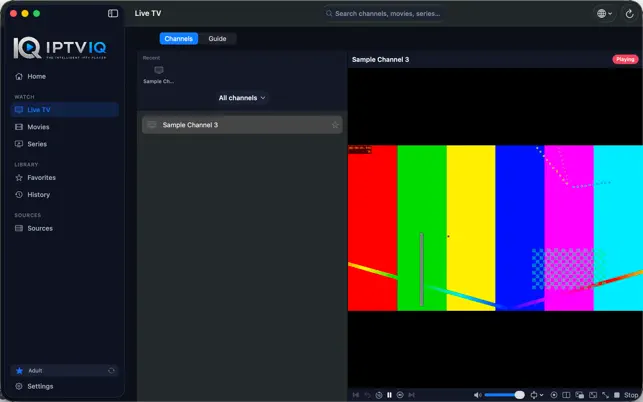
Live channels are the least supervised part of many IPTV libraries. Categories are broad. Names are vague. The next program starts without anyone choosing it.
A guide helps the adult more than the child. Now-and-next information, a per-channel schedule, and a mini-EPG overlay make it possible to see what a live stream actually is before it stays on. Numeric entry and Recall are adult speed tools. For a Kids profile, the deeper question is whether that channel is approved at all.
The guide still depends on the source. IPTVIQ can display XMLTV or provider EPG data. It cannot invent age labels that the playlist never supplied. Household rules have to be set in the profile, not assumed from a category name like “Kids” in a messy list.
Movies and series need separate Continue Watching rows
VOD is where shared history becomes uncomfortable. An adult series and a children’s film do not belong in the same resume strip.
IPTVIQ tracks progress per profile. Continue Watching should bring a person back to their own title, not to whoever used the Mac last. When a source exposes series structure, the next episode belongs to that same profile.
The catalog remains the provider’s. A Kids profile can only approve titles that exist in the connected source. It cannot create a children’s section that the source does not contain.
Search is the control point most players miss
Adults search for a match or a film. Children search for a character name and follow whatever appears.
That is why search has to obey the same Kids policy as the home screen. IPTVIQ is built so restrictions are not a veneer on one page. If a title is blocked for a child, it should stay blocked in Search, in the Guide, and at playback. Favorites work the other way for adults: a short personal list pulled out of a huge catalog, without dragging that list onto the child’s profile.
History follows the same split. A household Mac with one history is a public diary. Per-profile history is the minimum for shared use.
Catch-up and recording are adult tools first
Catch-up and watch-from-start exist only when the provider offers them. They are useful for a parent who missed the start of a program. They are not a substitute for profile rules. A restart button does not decide whether the program should be visible.
Local DVR is the Mac-side tool. IPTVIQ can record a compatible live stream to a folder the user chooses. That recording is personal time-shifting, not a family cloud locker. The file stays on the computer. It is not the current design to sync recordings between devices, and it should not be described as a children’s archive in the sky.
Scheduled EPG-based recording is planned. Manual local recording is what exists now. On a family Mac, that usually means an adult records something to watch later, after the child profile is no longer in front of the screen.
Two streams do not replace supervision
Multiview can show two compatible live channels at once. On a desktop that helps an adult follow two events. It is not a Kids feature. A second stream is still a stream, and both sides of the layout should respect the active profile’s rules.
Smart Recovery is more relevant than it sounds in a household. A brief drop that kills playback sends people back into the catalog, which is exactly when a child starts tapping. A player that reconnects instead of dumping the user into a raw list reduces that scramble. It cannot replace the profile lock.
What a Kids profile has to mean
A Kids profile in IPTVIQ is not a different wallpaper. Official product language is specific: approved content only, enforced everywhere in the app, not just on the surface.
That standard is the difference between marketing and control.
- Home should not advertise blocked titles.
- Search should not become the bypass.
- The guide should not offer a blocked live program as if it were harmless schedule text.
- Playback should not start from a deep link the child found by accident.
Adult profiles keep their own favorites, history, and resume points. The shared source stays shared. The viewing world does not.
Multi-device family talk, without fake screens
Parents ask the obvious next question: if the rule exists on the Mac, will it exist on the television later?
The honest answer is directional, not present-tense. Apple TV, iPhone, iPad, Windows, and Android are planned. Cloud Sync is not a current shipped family dashboard. If it arrives, the data that deserves to travel first is exactly this article’s subject: profiles, Kids approvals, blocklists, favorites, history, and resume position. DVR files should stay local. Live video should still come from the provider to the device, not from an IPTVIQ server.
A web portal or QR pairing might help later TV setup. Neither is how the Mac family controls work today. Today you create the profile on the computer that is already in the house.
Practical playback still sits underneath the rules
Household features do not remove the need for ordinary player work. Mixed sources still arrive as HLS, MPEG-TS, MPEG-DASH, or MP4. Proxy settings still exist per source. Those are adult setup details. Children should never have to see them.
The product value for a family is the layer above that: one source, several viewers, rules that hold.
Comparison for a shared home
| Feature | Basic shared playlist app | IPTVIQ on Mac today | Product direction |
|---|---|---|---|
| Separate profiles | Rare | Yes | Same idea on planned devices |
| Kids approved-content policy | Often home-screen only | Home, Search, Guide, playback | Carry the same policy forward |
| Per-profile favorites and history | Often global | Yes | Later state sync |
| Continue Watching isolation | Weak | Per profile | Cross-device resume later |
| Live guide | Optional | Integrated | Integrated |
| Local DVR | Rare | Manual folder recording | Scheduled recording planned |
| Cloud DVR / kids cloud locker | Rare | No | Not the current design |
| Apple TV family setup | Depends on other apps | Not current | Planned platform |
| Cloud Sync of rules | Rare | Not current | Profiles and Kids state, not video |
The middle column is the only column a parent can use this week.
Who this angle is for
This article is for households that share a Mac and an IPTV source. It is for parents who need more than a PIN on the whole app. It is for adults who do not want a child’s tapping to rewrite their library.
It is less useful if one person owns the computer and never needs a second profile. It is the wrong article if the goal is to download an Apple TV family app today.
Sports still appears in a family home, but here it is an adult-profile problem: favorites, guide, multiview, local recording. The child profile’s problem is permission, not extra live tiles.
Setup that respects the household
- Install IPTVIQ on macOS 14 or later.
- Add the source the household is authorized to use.
- Confirm live TV, movies, and the guide load for an adult profile.
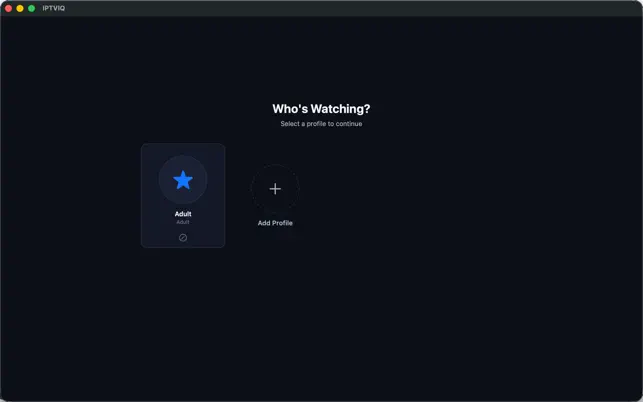
- Create additional profiles, including Kids.
- Set approvals and blocks before handing over the Mac.
- Add favorites and recording only on the profiles that should have them.
Do not leave the first launch in a single default profile if children use the same machine. The source can wait five minutes. The policy should not.
What ships now
Available: native Mac app, multiple sources, live TV and EPG, movies and series, search, per-profile favorites and history, Kids restrictions in core screens, manual local DVR, two-stream multiview, proxy options, Smart Recovery.
Planned: more platforms, Cloud Sync of user state, scheduled recording.
Not current: a published Apple TV family client, a web parent dashboard, QR pairing as the main setup path, cloud DVR.
Rights stay with the household
IPTVIQ does not grant children or adults access to content. Parents remain responsible for the source they connect, for local law, and for provider terms. A Kids profile is an interface policy. It is not a license. A local recording is a personal time-shift of a stream the household could already watch, not a file to distribute.
Close
The smartest IPTV player for a family is not the one with the most tiles. It is the one that can hold one source and still behave like several televisions.
On the Mac that exists today, IPTVIQ does that with profiles, isolated history, and a Kids rule that is supposed to survive search and playback. The next devices can wait until they are real. The shared computer cannot.
Your source. Your household. Separate rooms inside one player.